
Disclosure: GearSift is reader-supported. We research every pick, and no brand pays to be included. This article contains no affiliate links. How we make money
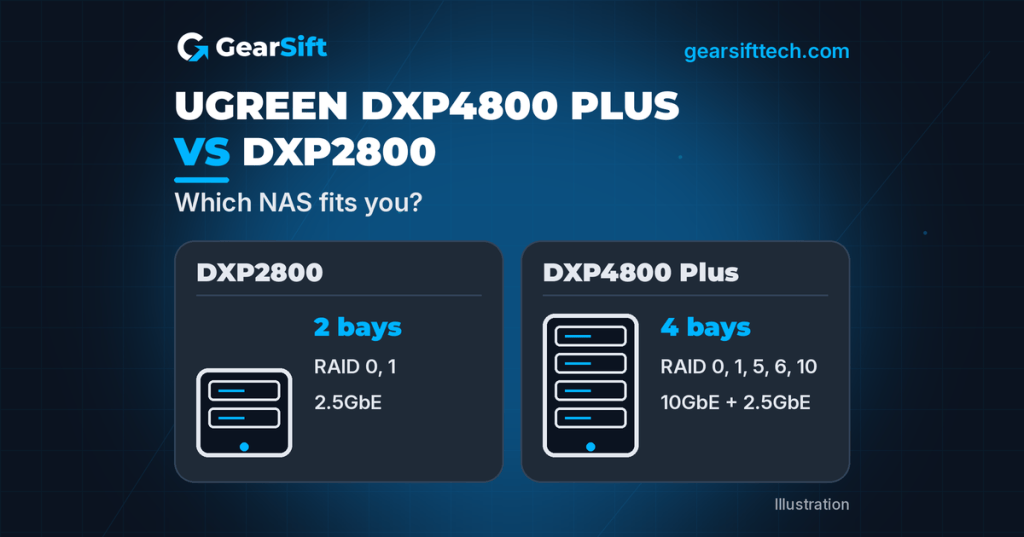
UGREEN’s DXP2800 and DXP4800 Plus look alike on paper: both are Intel-based, both have two M.2 NVMe slots, both ship without drives, and both carry a 2-year warranty [1][4][5]. The real split is bays and RAID, network ports, memory headroom and running power. In short: the DXP2800 is a two-bay box with 2.5GbE, RAID 0 and 1, and a 16GB memory ceiling [1]. The DXP4800 Plus is a four-bay box with RAID 5, 6 and 10, one 10GbE port plus one 2.5GbE port, and room for up to 64GB of memory [3].
How we researched this: we have not physically tested either NAS. Specs come from UGREEN’s own pages, manuals and blogs and from Intel’s processor pages. Power and noise figures are labelled as UGREEN’s lab or as c’t’s lab, never ours. GearSift’s owner runs a DXP4800 Plus at home and has written up that setup in owner’s notes, not a review [11]. The DXP2800 is researched from published sources only.
Which to pick
- Pick the DXP2800 if two drives are enough, you want the lower running power, and your network tops out at 2.5GbE. Our pick because: it has two SATA bays with RAID 0 and RAID 1 [1], UGREEN’s lab figures put its power draw at less than half the Plus in both states it tested [7], and UGREEN’s guide pitches it for “Two-bay Plex, Docker, home automation, and general self-hosting” [6]. It’s the lower price tier of the two.
- Pick the DXP4800 Plus if you want room to grow past two drives, parity RAID, or a 10GbE port. Our pick because: it has four SATA bays with RAID 5, 6 and 10 [3], a 10GbE port that the DXP2800 lacks [2][3], and a memory ceiling of 64GB against 16GB [2][3]. It’s the higher price tier.
If you are still shortlisting models, our budget NAS guide for Plex and Jellyfin and our Synology, UGREEN and UniFi NAS comparison cover the wider field.
Side-by-side
| UGREEN DXP2800 | UGREEN DXP4800 Plus | |
|---|---|---|
| Drive bays | 2 SATA + 2 M.2 NVMe [2][10] | 4 SATA + 2 M.2 NVMe [3][10] |
| RAID and storage modes | JBOD, Basic, 0, 1 [1][2] | JBOD, Basic, 0, 1, 5, 6, 10 [3] |
| Processor | Intel N100, 4 cores / 4 threads [8][10] | Intel Pentium Gold 8505, 5 cores / 6 threads (1 performance + 4 efficient cores) [9][10] |
| Max turbo (Intel) | 3.40 GHz [8] | 4.40 GHz [9] |
| Intel Quick Sync Video (Intel) | Yes [8] | Yes [9] |
| Memory: installed / maximum | 8GB DDR5 / 16GB [2][10] | 8GB DDR5 / 64GB [3][10] |
| Memory channels (Intel, for the processor) | 1 [8] | 2 [9] |
| M.2 slots and link | 2 slots, PCIe 3.0 x2 [10] | 2 slots, PCIe 4.0 x4 [10] |
| Network | 1x 2.5GbE [2][10] | 1x 10GbE + 1x 2.5GbE [3][10] |
| USB | Front: 1x USB-C and 1x USB-A (both 10Gb/s). Rear: 1x USB-A (5Gb/s), 2x USB 2.0 [2][10] | Front: 1x USB-C and 1x USB-A (both 10Gb/s). Rear: 1x USB-A (5Gb/s), 2x USB 2.0 [3][10] |
| SD card reader | None (c’t lists the SD slot for the Plus only) [10] | SD 3.0 [3][10] |
| HDMI | Up to 4K [2] | Up to 4K [3] |
| PCIe expansion / Thunderbolt 4 ports | Shown as “-” on the US product page [1] | Not listed on product page/datasheet (checked the quick-start guide and Canada page) [3][5] |
| System disk | 32GB eMMC [2] | 128GB SSD [3] |
| Power, UGREEN lab, one 2TB drive: drive access / lower-power state | 16.38W / 5.24W [7] | 42.36W / 18.12W [7] |
| Noise, quiet mode (UGREEN) | 29 to 34dB [1] | Not listed on product page/datasheet (checked the quick-start guide and Canada page) [3][5] |
| Size, L x W x H (UGREEN guide) | 231.8 x 109.4 x 178.4 mm [2] | 257.5 x 178 x 178 mm [3] |
| Warranty | 2 years [1][4] | 2 years [5] |
| Price tier | Mid | Premium |
Price tiers are relative to the products in this article. Each tier is based on the maker’s regular list price on its own US store, checked November 2, 2026 (ET), not on sale prices. We don’t list street or retail prices because they change. Check the current price before you buy.
Maximum storage, dimensions and a few other figures differ between UGREEN’s own pages, so they are in their own table further down rather than in this one.
Bays and RAID: the biggest difference
The DXP2800 supports Basic, JBOD, RAID 0 and RAID 1 [1][2]. UGREEN says it plainly: “Two-bay models support Basic, JBOD, RAID 0, and RAID 1 only.” [1] So if you want parity RAID (RAID 5 or 6), the DXP2800 can’t do it. UGREEN’s wording for when to move up starts: “Step up to a 4-bay model if you need RAID 5, RAID 6, or RAID 10” [1].
Usable space with 8TB drives, before system and file-system overhead:
| Setup | Usable space with 8TB drives (our arithmetic) |
|---|---|
| DXP2800, two drives in RAID 1 | 8TB: UGREEN says RAID 1 gives “the usable capacity of the smaller drive” [1] |
| DXP4800 Plus, four drives in RAID 5 | About 24TB (three drives’ worth) |
| DXP4800 Plus, four drives in RAID 6 | About 16TB (two drives’ worth) |
| DXP4800 Plus, four drives in RAID 10 | About 16TB (two drives’ worth) |
Our take: the two extra bays are what you are paying for. Four matching 8TB drives in RAID 5 give about three times the usable space of a two-drive mirror and still survive one drive failure. If your library will fit on two drives for years, the second pair of bays may go unused.
Two cautions apply to both models. First, UGREEN’s DXP2800 FAQ says: “RAID is not a backup; keep a separate copy of important data.” [1] Our NAS vs DAS vs external drive guide explains where a NAS fits in a backup plan. Second, UGREEN advises against pairing an old drive with a new one in RAID 1, since a rebuild “can place sustained load on the older one” [1]. For drive choices, see our WD Red Pro vs Seagate IronWolf Pro comparison and our NAS hard drive roundup.
Network: 2.5GbE or 10GbE plus 2.5GbE
The DXP2800 has one 2.5GbE port [1][2]. The DXP4800 Plus has one 10GbE port and one 2.5GbE port [3]. UGREEN’s hardware guide gives the theoretical ceilings: 125MB/s for 1GbE, 312.5MB/s for 2.5GbE and 1.25GB/s for 10GbE. It cautions that “A 10GbE port does not guarantee 1GB/s.” [6]
The question is what the rest of your network can do. UGREEN’s guide says every part of the path, from the NAS and switch to the drives and workload, “must all support the target speed” [6], and that a four-drive HDD array “may remain below that speed” [6]. The Plus’s quick-start guide recommends “a router or switch with 10-Gigabit LAN ports or higher” [3], while the DXP2800’s guide recommends a router or switch with Gigabit LAN [2]. The 2.5GbE port has its own conditions: a client without 2.5GbE needs an adapter, and any switch in between must match [6]. Our 2.5GbE switch guide covers that side.
GearSift’s owner runs the DXP4800 Plus on a Gigabit-only home network, so the 10GbE port is unused there [11]. Our take: on a Gigabit network, neither NAS is limited by its own ports. Pay for the Plus’s 10GbE port only if you have, or are about to buy, 10GbE gear on the other end. The cost of guessing wrong runs one way: UGREEN warns that a later jump from 1GbE to 10GbE “may require replacing the NAS rather than adding an adapter” [6]. If you expect to go beyond 2.5GbE, that favours the Plus now.
CPU, memory and M.2: who needs the headroom
Processor. The DXP2800’s Intel N100 has 4 cores and 4 threads and a 3.40 GHz maximum turbo; the Plus’s Pentium Gold 8505 has 5 cores and 6 threads (1 performance core and 4 efficient cores) and a 4.40 GHz maximum turbo [8][9]. UGREEN’s guide lists the DXP2800 for “Two-bay Plex, Docker, home automation, and general self-hosting” and the Plus for “Four-bay storage growth, Plex, Docker, and multi-user home storage” [6]. c’t described the throughput of both units as typical for this class of NAS [10].
Plex and Jellyfin transcoding is not a reason to pick the Plus. Intel lists Quick Sync Video for both processors [8][9], and UGREEN’s guide names both models among the “current UGREEN models with supported Intel processors” for Plex [6]. The guide also warns that hardware transcoding “also requires graphics access inside the Docker container, the correct Plex configuration, and an active Plex Pass” [6]. For the DXP2800, UGREEN says the N100 is “suitable for home media, backups, photo management” [1]. The sources we checked cover Plex, so check Jellyfin’s own hardware-acceleration requirements. GearSift’s owner runs Jellyfin in Docker on the Plus [11] and makes no transcoding claim.
Memory. Both ship with 8GB of DDR5; the maximum is 16GB on the DXP2800 and 64GB on the Plus [2][3][10]. UGREEN’s guide names the DXP2800’s “Limited memory ceiling for heavier VM or container growth” [6]. Intel lists one memory channel for the N100 and two for the 8505 [8][9], and c’t found a single RAM module in the DXP2800, while the Plus can take a second [10]. That the single channel and single module explain the 16GB limit is our inference; UGREEN doesn’t state a cause. UGREEN is careful about what more memory does: it says a higher ceiling “does not make every task faster” [6].
M.2. Both have two M.2 NVMe slots. c’t’s specification table lists the DXP2800’s as PCIe 3.0 x2 and the Plus’s as PCIe 4.0 x4 [10]. Intel lists 9 PCIe lanes (Gen 3) for the N100 and 20 lanes with Gen 4 from the CPU for the 8505 [8][9]. That likely explains the difference, but UGREEN doesn’t say so. UGREEN’s guides describe using M.2 SSDs as a normal drive or as a read/write cache [2][3], and its hardware guide recommends an SSD pool for VM disks [6]. Our take: if you only plan an SSD cache, the slot speed matters less. If you plan to put Docker data or VM disks on an SSD pool, the Plus’s faster slots are the stronger platform on paper.
ECC. UGREEN’s DXP2800 spec table lists an “ODECC” row marked “Supported” without defining it [1]; we found no such row for the Plus in its guide [3]. Intel lists ECC memory as not supported on either processor [8][9], so don’t read ODECC as ECC memory support.
Power, noise and size
UGREEN’s lab measured the DXP2800 at 16.38W during drive access and 5.24W in its published lower-power state, and the DXP4800 Plus at 42.36W and 18.12W, all with one Seagate 2TB hard drive [7]. UGREEN adds that “A NAS populated with several drives can consume more than the values shown here.” [7] The Plus draws more than double the DXP2800 in both states.
c’t, an independent magazine lab, measured the same pattern. With SATA SSDs it measured about 6.8W for the DXP2800 and 22W for the DXP4800 Plus; with hard drives spun down, about 9 to 10W against about 25W (c’t’s text gives about 10W for the DXP2800 and its table gives 9W); and with hard drives spinning, about 17W for the DXP2800 (two drives) and 37W for the Plus (three drives) [10]. The drive counts differ in that last pair, so it isn’t like-for-like. c’t’s test used firmware 1.0.0556 in a review dated May 30, 2025, so newer firmware may behave differently [10].
Our take: a NAS runs around the clock, so small gaps add up. One watt running all year is about 8.76 kWh (our arithmetic). UGREEN’s lower-power figures differ by about 13W, which works out to roughly 113 kWh a year. That running-cost gap is the main reason to choose the DXP2800 if two bays are enough. We don’t convert it to money, because electricity rates vary.
On noise, UGREEN quotes 29 to 34dB in quiet mode for the DXP2800 [1] and lists no figure for the Plus in the sources we checked [3][5]. c’t measured both at 0.2 sone with hard drives spinning, and said the fan can reach up to 4 sone under sustained load, depending on model and fan setting [10]. On size, UGREEN’s guides list the DXP2800 as 109.4mm wide and the Plus as 178mm wide [2][3], a clear shelf-space difference.
Upgrade path: what you can and can’t add later
UGREEN’s guide lists the limits to confirm first, the ones that “cannot be added later”, including SATA bay count, maximum raw capacity, processor architecture, memory ceiling, M.2 support and network ports [6]. Applied here:
- DXP2800: you can raise memory to 16GB and add M.2 SSDs for cache or a pool [1][2]. It ships diskless, so the drives are your choice [1]. You can’t add bays, and a move to 10GbE may mean replacing the NAS [6].
- DXP4800 Plus: memory goes to 64GB, and you get four SATA bays plus two M.2 slots [3]. The 10GbE port is already there.
- Neither: the DXP2800’s US page shows “-” for PCIe expansion and Thunderbolt 4 ports [1], and the Plus’s guide lists neither [3]. Intel lists Thunderbolt 4 for the 8505 processor [9], but UGREEN doesn’t list it on the NAS, so don’t plan around it.
Before you buy drives or memory, UGREEN tells you to check its compatibility list for the exact model [1][5].
Where UGREEN’s own pages disagree
UGREEN publishes specs on its US store, its Canada store and in the quick-start guides, and they don’t always match. We show both values rather than pick one. For the Plus, UGREEN Canada lists up to 136TB [5], and we found no second published value to compare it with.
| Item | Value A | Value B |
|---|---|---|
| DXP2800 maximum storage | 80TB (HDD 32TB x2 + SSD 8TB x2), US store [1] | “up to 76TB”, Canada store [4] |
| DXP2800 dimensions | 231.8 x 109.4 x 178.4 mm (L x W x H), quick-start guide [2]; 9.1 x 4.3 x 7.0 in, US store [1] | 10.9D x 17.7W x 23.7H cm, Canada store [4] |
| Operating system name | “UGOS”, US DXP2800 page [1] | “UGOS Pro”, quick-start guides and Canada store [2][3][4][5] |
Our take: treat the maximum-storage numbers as the largest raw capacity UGREEN lists, not as usable space, and check the compatibility list for the drives you actually plan to buy. If shelf space matters, check UGREEN’s current guide before you order.
Which should you buy?
| Your situation | Pick | Why |
|---|---|---|
| Two drives in a mirror will hold your data for years | DXP2800 | Two SATA bays with RAID 1 [1], at the lower price tier |
| You want RAID 5, 6 or 10, or expect to outgrow two drives | DXP4800 Plus | Four SATA bays and parity RAID; the DXP2800 supports RAID 0 and 1 only [1][3] |
| Your network is Gigabit or 2.5GbE and will stay that way | DXP2800 | 2.5GbE is its fastest port [1]; the Plus’s 10GbE port adds nothing there [3] |
| You have 10GbE gear or plan to buy it | DXP4800 Plus | Only the Plus has a 10GbE port; adding one later may mean replacing the NAS [3][6] |
| Running cost matters most | DXP2800 | Lower power in UGREEN’s lab figures and in c’t’s measurements [7][10] |
| Many containers or virtual machines | DXP4800 Plus | 64GB memory ceiling against 16GB, and PCIe 4.0 x4 M.2 slots against 3.0 x2 [2][3][10] |
If neither fits, UGREEN’s guide describes other models. The DXP4800 Pro uses an Intel Core i3-1315U and goes up to 96GB of memory. The DXP2800 GT uses an AMD Ryzen Embedded R2514 with 10GbE, and UGREEN says it has “No Intel Quick Sync hardware-transcoding path” [6]. We haven’t compared those here.
Quick answers
Can the DXP2800 do RAID 5?
No. UGREEN lists JBOD, Basic, RAID 0 and RAID 1 for it [1]. RAID 5, 6 and 10 need the DXP4800 Plus or another four-bay model [1][3].
Do I need the 10GbE port?
Only if the rest of your path supports it: the computer, the switch or direct link, the cabling and fast enough storage [6]. On a Gigabit network you don’t.
Does either support ECC memory?
Intel lists ECC memory as not supported on the N100 and the Pentium Gold 8505 [8][9]. UGREEN’s DXP2800 “ODECC” row, marked “Supported”, isn’t defined on its page [1].
Which one does GearSift run?
GearSift’s owner runs the DXP4800 Plus; see the owner’s notes [11]. We have no first-hand experience with the DXP2800. For more NAS guides, see our NAS & Storage hub.
The bottom line
Our take: choose the DXP2800 if two bays and 2.5GbE cover you and you want the lower running power [1][7][10]. Choose the DXP4800 Plus if you want four bays, parity RAID, a 10GbE port or memory headroom, and accept the higher power draw and price tier [3][7][10]. Bay count and network ports can’t be added later [6], so buy for the NAS you expect to need in a few years.
Buy
- Buy the UGREEN NASync DXP2800 at the UGREEN store (sold diskless)
- Buy the UGREEN NASync DXP4800 Plus on Amazon (sold diskless)
How we pick and source products: How we research.
GearSift isn’t affiliated with or endorsed by UGREEN or Intel.
Real gear for a better everyday.
Sources (all checked November 2, 2026, ET)
- UGREEN US store, NASync DXP2800, SKU 25242 (specs, FAQ): https://ai.ugreen.com/products/ugreen-nasync-dxp2800-nas-storage
- UGREEN, DXP2800 quick-start guide (PDF, copy hosted on Amazon’s media server) (specs): https://m.media-amazon.com/images/I/B1fMg2X-bKL.pdf
- UGREEN, DXP4800 Plus quick-start guide (PDF, copy hosted on Amazon’s media server) (specs): https://m.media-amazon.com/images/I/B1mvS%2BgCqkL.pdf
- UGREEN Canada store, NASync DXP2800 (specs): https://www.ugreen.com/en-ca/products/ca-25242
- UGREEN Canada store, NASync DXP4800 Plus (specs): https://www.ugreen.com/en-ca/products/ca-35260a
- UGREEN, “Which UGREEN NAS Should You Buy? Hardware Guide” (specs): https://ai.ugreen.com/blogs/buying-guide/nas-hardware-buying-guide
- UGREEN, “How Much Power Does a NAS Use?” (specs): https://ai.ugreen.com/blogs/knowledge/how-much-power-does-your-nas-consume
- Intel, Processor N100 specifications (specs): https://www.intel.com/content/www/us/en/products/sku/231803/intel-processor-n100-6m-cache-up-to-3-40-ghz/specifications.html
- Intel, Pentium Gold Processor 8505 specifications (specs): https://www.intel.com/content/www/us/en/products/sku/226265/intel-pentium-gold-processor-8505-8m-cache-up-to-4-40-ghz-with-ipu/specifications.html
- c’t, “Ugreen NAS review: NASync DXP2800 & DXP 4800 Plus in de test” (independent magazine lab review in Dutch, May 30, 2025; context only): https://www.ct.nl/reviews/ugreen-nas-review-nasync-dxp2800-dxp-4800-plus/
- GearSift, “My UGREEN DXP4800 Plus on a Gigabit home network: Jellyfin, Home Assistant and what we’d change” (owner’s notes on the owner’s own unit): https://gearsifttech.com/2026/11/02/ugreen-dxp4800-plus-owner-notes/


Leave a Reply