
Disclosure: GearSift is reader-supported. We research every pick, and no brand pays to be included. This article contains no affiliate links. How we make money
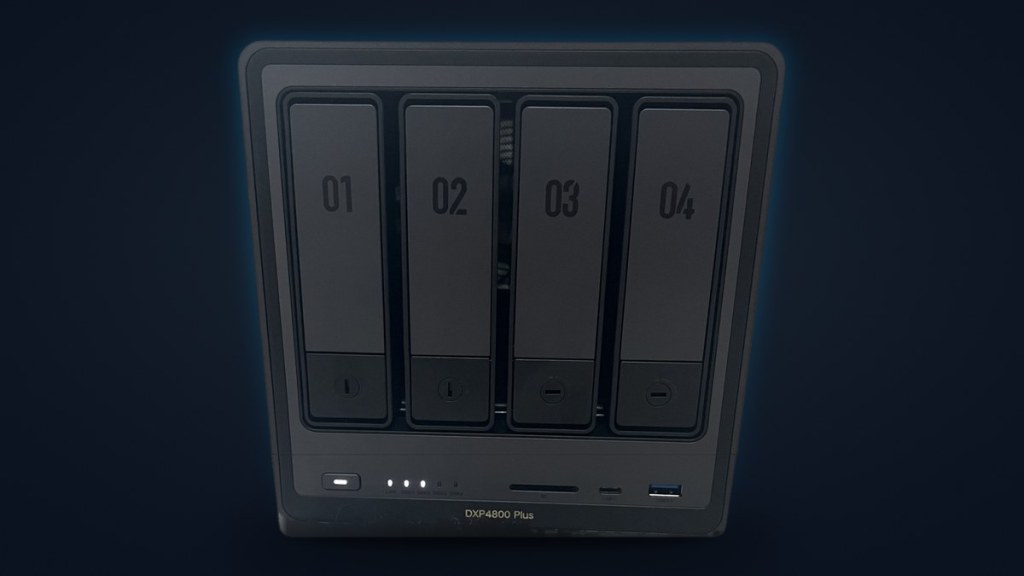
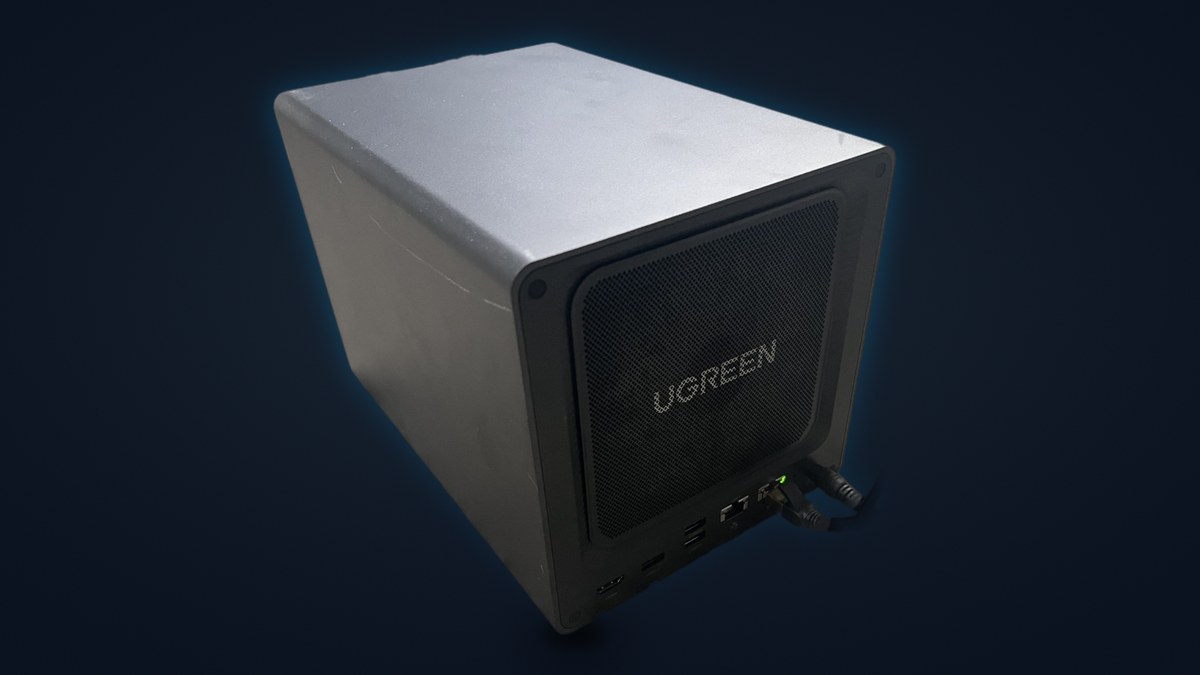
This is the NAS I run at home: a UGREEN NASync DXP4800 Plus. It’s a four-bay box that also takes two M.2 NVMe drives, with an Intel Pentium Gold 8505 and UGREEN’s UGOS operating system [1]. Mine sits on a plain Gigabit home network, runs Jellyfin, Home Assistant and a game server in Docker, and holds a mix of drives with no RAID. Below is how it’s set up, why its fast network ports don’t matter on my network today, and what GearSift suggests changing before it holds files that can’t be replaced.
About these notes: this is the GearSift owner’s own NAS. These are owner’s notes, not a review. I haven’t benchmarked it or run lab tests, so you won’t find speed figures here. Specs come from UGREEN’s, Seagate’s and PCI-SIG’s own pages (cited below). Drive details are exactly what UGOS shows on my unit.
The short version
- Network: the NAS has 10GbE and 2.5GbE ports [1], but my network is Gigabit only, so Gigabit is the most any transfer can reach. That’s fine for a first home-lab NAS.
- Apps, all in Docker: Jellyfin for my own Blu-rays and DVDs, Home Assistant (still experimenting), and a Palworld dedicated server my wife and I play on.
- Drives: three mismatched drives, no RAID, so no redundancy.
- What we’d suggest: a mirrored pair (RAID 1) of 12TB NAS drives, plus a 3-2-1 backup. RAID alone isn’t a backup.
The box, per UGREEN
The front label reads “DXP4800 Plus”, so this is the Plus, not the base DXP4800. These are the official specs that matter for this setup:
| Spec | UGREEN DXP4800 Plus (SKU 35260) |
|---|---|
| Drive bays | 4 SATA bays plus 2 M.2 NVMe slots [1] |
| Processor | Intel Pentium Gold 8505, 5 cores / 6 threads [1] |
| Memory | 8GB DDR5, expandable to 64GB [1] |
| System disk | 128GB SSD [1] |
| Network | 1x 10GbE + 1x 2.5GbE [1] |
| RAID options | JBOD, Basic, 0, 1, 5, 6, 10 [1] |
| Drives included | None; it’s sold diskless [1] |
A realistic home-lab NAS on Gigabit
The DXP4800 Plus has one 10GbE port and one 2.5GbE port [1]. My home network is Gigabit only, so the 10GbE port isn’t in use. The NAS is connected over Ethernet.
UGREEN’s own FAQ is clear about what full 10GbE speed takes. Everything between the computer and the NAS has to support it: the computer’s port or adapter, the switch, and the cabling. It also says one hard drive can’t keep up with 10GbE on its own [1]. In my house every link is Gigabit, so no transfer to or from the NAS can go faster than Gigabit, whatever the NAS itself could do. I haven’t measured my speeds, so I’m not quoting any.
Our take: you don’t need a 10GbE network to start with a NAS like this. On Gigabit, Gigabit is its upper limit. The faster ports are headroom for a later network upgrade, and you don’t have to buy new switches and adapters on day one.
What runs on it (all in Docker)
UGREEN lists Docker support for this NAS [1]. All three of these run in Docker on the one box:
- Jellyfin. My media server, for my own Blu-rays and DVDs.
- Home Assistant. I’m experimenting with it for the smart-home devices in my house. It’s a trial, not a finished setup.
- A Palworld dedicated server. My wife and I play on it together.
Two notes from UGREEN’s FAQ if you plan to stack containers like this. First, it says more memory can help when you run several Docker containers; the NAS ships with 8GB of DDR5 and takes up to 64GB, and UGREEN says to check its compatibility list before you upgrade [1]. Second, it describes two uses for the M.2 NVMe slots: an SSD cache for the hard drives, or a separate SSD pool for fast workloads, with Docker containers as one of its examples [1].
My drives: mixed, and no RAID
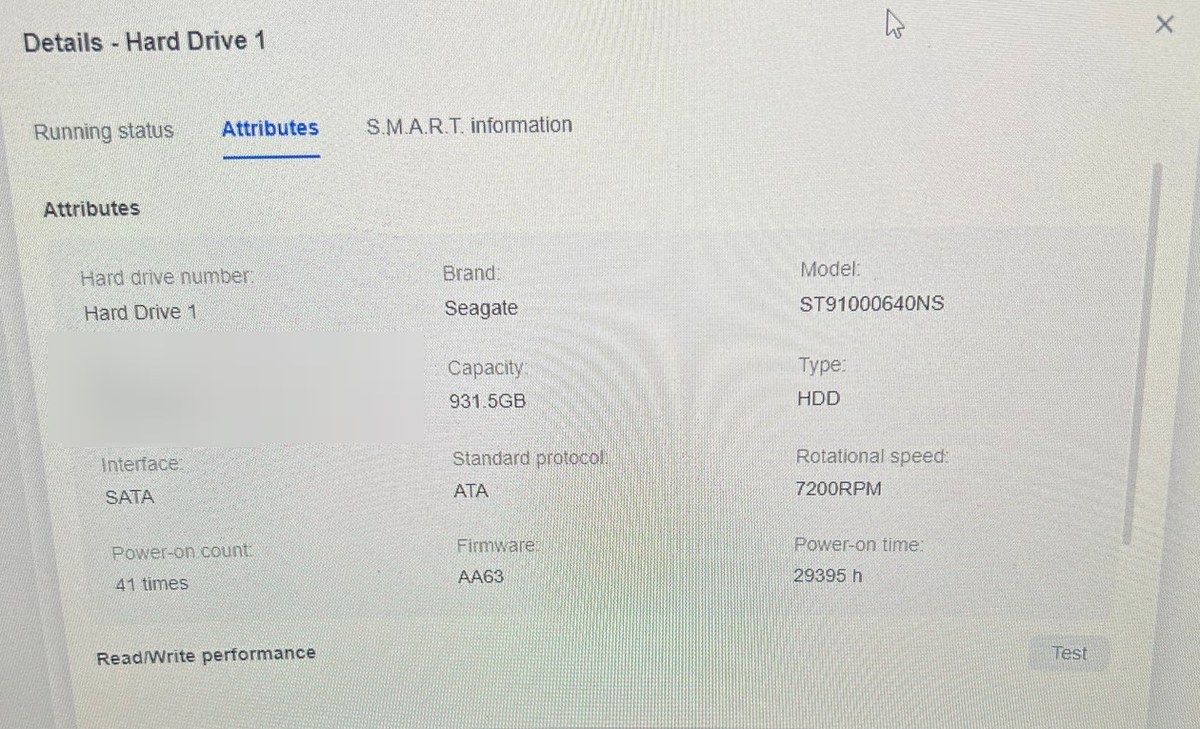
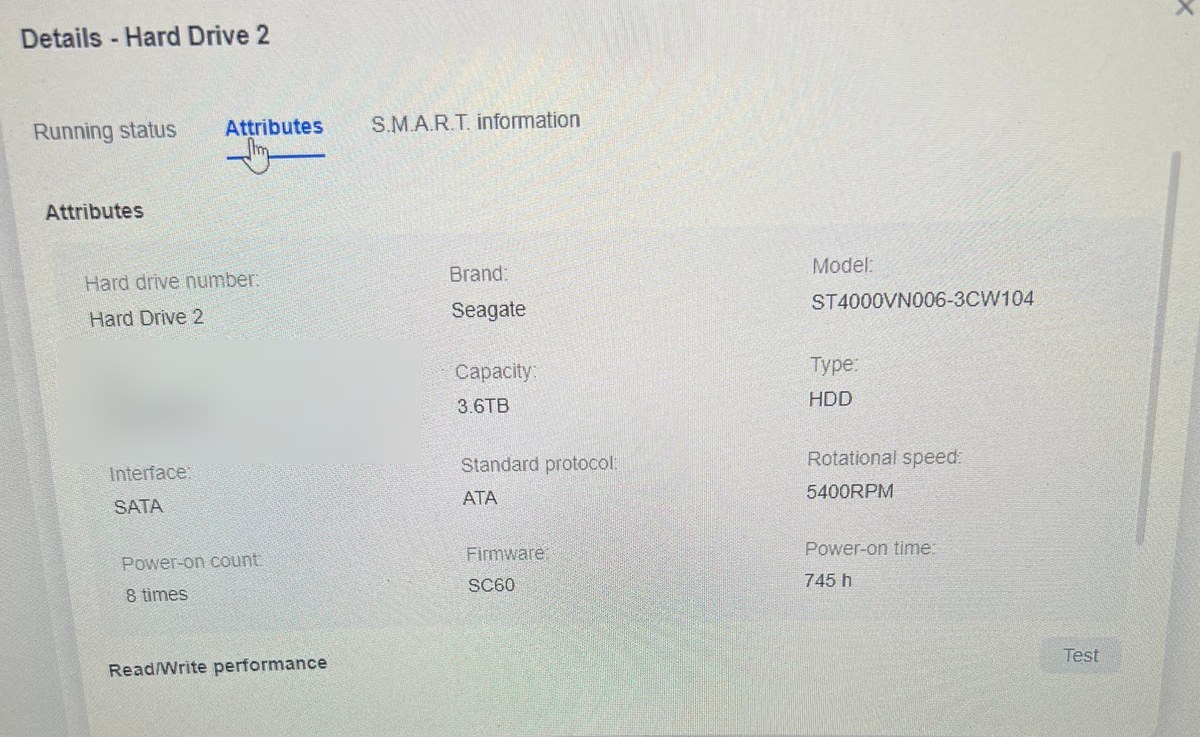
Here’s exactly what UGOS shows for each drive (Storage, then Hard Drive, then Attributes):
| UGOS slot | Model (as UGOS shows it) | What it is (maker sources) | Capacity / speed in UGOS | Power-on time | Power-on count |
|---|---|---|---|---|---|
| Hard Drive 1 | Seagate ST91000640NS | Seagate Constellation.2 1TB: a 2.5-inch nearline enterprise drive, SATA 6Gb/s, 7200 RPM [2][3] | 931.5GB, 7200RPM | 29,395 h | 41 |
| Hard Drive 2 | Seagate ST4000VN006-3CW104 | Seagate IronWolf 4TB: a 3.5-inch NAS drive, CMR, 5400 RPM [4] | 3.6TB, 5400RPM | 745 h | 8 |
| M.2 Hard Drive 1 | PC811 SK hynix 512GB (brand shown as “Unknown”) | SK hynix NVMe PC811, PCIe 4.0 x4 [5]; 512GB per UGOS | 476.9GB, NVMe | 7,819 h | 281 |
A few things stand out:
- The 1TB drive is an older enterprise model. The Constellation.2 is a 2.5-inch nearline drive [2], and its counter in UGOS reads 29,395 hours. That’s the drive’s own running total across every system it has been in, not just this NAS. Seagate rated it for round-the-clock use, 8,760 power-on hours a year [2].
- The 4TB drive is a NAS drive with a low hour count. Seagate lists the IronWolf 4TB (ST4000VN006) as a CMR drive for 1 to 8 bays [4], and UGOS shows 745 hours on mine.
- The NVMe drive is hard to pin down. UGOS shows “PC811 SK hynix 512GB” with the brand as “Unknown”. PCI-SIG’s integrators list has the SK hynix NVMe PC811 as a PCIe 4.0 x4 device [5], but it isn’t on SK hynix’s public client-SSD page [6]. So the 512GB capacity is from UGOS only, and I’m not quoting other specs for it.
What “no RAID” means in practice
My drives aren’t in any RAID group, so nothing is copied from one drive to another and there’s no redundancy. If a drive fails, the files on it are gone unless a copy exists somewhere else. No other drive in the NAS can rebuild them.
Our take: an older drive with no second copy is the wrong place for anything you can’t replace.
Why UGOS shows “missing” space
Seagate counts drive capacity in decimal: its datasheets say one terabyte equals one trillion bytes [2][4]. UGOS shows capacity in binary (1,024-based) units but still labels them GB and TB. So my 1TB drive shows as 931.5GB, the 4TB as 3.6TB, and the 512GB NVMe as 476.9GB. The gap you see here is the units, not lost space. Seagate’s IronWolf datasheet puts it this way: “Your computer’s operating system may use a different standard of measurement and report a lower capacity.” [4]
What we’d change
My plan for this NAS is bigger drives, around 12TB, to back up family photos and videos. Before those files go on it, GearSift suggests three things.
- A mirrored pair (RAID 1) of 12TB NAS drives. The DXP4800 Plus supports RAID 1 [1]. In a mirror, both drives hold the same data, so one can fail and the files are still on the other. You get the usable space of one drive, not two.
- A 3-2-1 backup on top of the mirror. That means 3 copies of the data, on 2 types of media, with 1 copy offsite or in the cloud. The mirror counts as one copy, not two. A second copy goes on different media, such as an external drive, and the third copy lives somewhere outside the house.
- RAID is not a backup. UGREEN says so in its own FAQ: “RAID is not a backup, so keep a separate copy of important data.” [1] A mirror protects against one drive dying. It copies a deleted or damaged file to both drives just as faithfully, and both drives sit in the same box in the same house.
For the drives themselves, our WD Red Pro vs Seagate IronWolf Pro comparison covers each maker’s workload ratings, warranty terms, and how their data recovery terms treat RAID. It compares the 8TB models.
The bottom line
Our take: the DXP4800 Plus makes sense as a first home-lab NAS even on a Gigabit network. It runs my Jellyfin library, a Home Assistant trial and a game server in Docker, and the faster ports can wait for a network upgrade. The weak spot in my setup isn’t the box. It’s mixed drives with no redundancy and no backup, and that’s what we’d fix first.
Buy
- Buy the UGREEN NASync DXP4800 Plus at the UGREEN store (sold diskless)
How we pick and source products: How we research.
GearSift isn’t affiliated with or endorsed by UGREEN, Seagate or SK hynix.
Real gear for a better everyday.
Sources (all checked October 26, 2026, ET)
- UGREEN US store, NASync DXP4800 Plus, SKU 35260 (specs, FAQ; buy page): https://ai.ugreen.com/products/ugreen-nasync-dxp4800-plus-nas-storage
- Seagate, Constellation.2 data sheet (PDF; ST91000640NS column) (specs): https://www.seagate.com/www-content/product-content/enterprise-hdd-fam/enterprise-capacity-2-5-hdd/en-us/docs/constellation2-fips-ds1719-4a-1605us.pdf
- Seagate, Constellation.2 product manual 100545983 Rev. G (PDF) (specs): https://www.seagate.com/www-content/product-content/constellation-fam/constellation/constellation-2/en-us/docs/100545983g.pdf
- Seagate, IronWolf data sheet DS1904.20 (PDF; ST4000VN006 column) (specs): https://www.seagate.com/files/www-content/datasheets/pdfs/ironwolf-18tb-DS1904-20-2111US-en_US.pdf
- PCI-SIG, Integrators List entry “SK hynix NVMe PC811” (specs): https://pcisig.com/pc811
- SK hynix, client SSD product page (specs): https://product.skhynix.com/products/ssd/cssd.go


Leave a Reply