
Updated: October 9, 2026
Disclosure: GearSift is reader-supported. Some links on GearSift may be affiliate links that earn us a commission at no extra cost to you. This article currently contains none. Learn more.
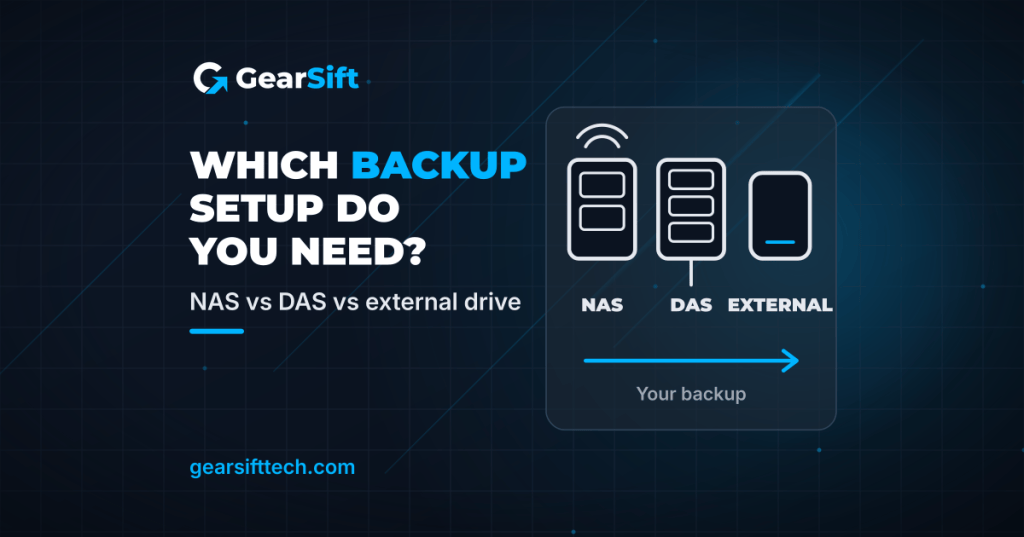
You’ve got photos, documents and maybe a growing video library, and you want them safe. Three types of storage come up again and again: a NAS, a DAS and a plain external drive. They sound alike, but they solve different problems. Here’s the difference in plain terms, and how to pick.
How we wrote this: research-based. We used manufacturer specifications and official guidance (cited below, checked October 9, 2026). We have not physically tested these products.
The short answer
- One computer, simple backups: an external drive (desktop hard drive or portable SSD).
- One computer, lots of drives: a DAS (a multi-bay box that plugs into one computer).
- Several people or devices, shared files, automatic backups: a NAS (a small server on your home network).
- Whatever you choose: keep a second copy somewhere else. See the 3-2-1 rule below.
What each one is
| External drive | DAS (direct-attached storage) | NAS (network-attached storage) | |
|---|---|---|---|
| Connects to | One computer, over USB | One computer, over USB | Your router or switch, over Ethernet |
| Drives | Built in | You add them (bays) | You add them (bays) |
| Shared with other devices | Only by plugging it in elsewhere | Only through the computer it’s plugged into | Yes, across your network |
| Runs its own apps | No | No | Yes (its own operating system) |
| Example in this guide | WD My Book; Samsung T7 Shield | TerraMaster D4-320 | UGREEN DXP4800 Plus |
External drive: the simplest option
An external drive is one drive in a case. You plug it in, copy files or run backup software, and unplug it.
Desktop hard drive example: WD My Book.
- Connects over USB 3.2 Gen 1 (5 Gbps) with a Micro-B port, and needs its AC adapter [1].
- Formatted exFAT out of the box, with listed compatibility for Windows 10+ and macOS 11+ [1].
- Western Digital lists capacities from 4TB up to 26TB [1].
- Includes Acronis True Image for Western Digital for scheduled backups (download required), and software for password protection with 256-bit AES encryption [1].
- 3-year limited warranty; WD notes the term depends on the country of purchase [1].
See the WD My Book on Western Digital
Portable SSD example: Samsung T7 Shield.
- USB 3.2 Gen 2 (10 Gbps), with sequential read/write of up to 1,050/1,000 MB/s. Samsung says that figure comes from its internal testing with the included cable, and real speed depends on your system [5].
- 1TB, 2TB and 4TB capacities; 98 grams (Samsung notes weight varies by capacity) [5].
- IP65 rating and drop resistance up to 3 m (9.8 ft), both based on Samsung’s controlled testing. Samsung’s datasheet says water, dust and drop damage are not covered by the warranty [4][5].
- AES 256-bit hardware encryption; three-year limited warranty; USB-C to C and USB-C to A cables in the box [5].
See the Samsung T7 Shield on Samsung
Good for: backing up one computer, carrying files, and keeping an offline copy you can unplug.
Watch out: a single drive is a single point of failure. If it’s your only backup, it’s not enough on its own.
DAS: more drives, still one computer
A DAS is a box with several drive bays that connects straight to one computer. It doesn’t connect to your network.
Example: TerraMaster D4-320.
- 4 bays for 3.5″ SATA hard drives or 2.5″ SATA drives and SSDs [3].
- Connects over USB 3.2 Gen 2 Type-C (10 Gbps). TerraMaster lists no network interface [3].
- No built-in RAID. TerraMaster says each drive works on its own, and you’d need third-party software for RAID [2][3].
- Hot-swappable drives; works with Windows, macOS and Linux without drivers [2][3].
- 2-year warranty [3].
- Drive size: TerraMaster lists up to 32 TB per drive (128 TB total) [2][3], but the same product page says compatibility with drives larger than 22 TB “is yet to be verified” [2]. Check TerraMaster’s compatibility list before buying large drives.
- Drives are not included. The listed package contents don’t include drives [3]. Budget for them.
See the TerraMaster D4-320 on TerraMaster
Good for: one computer that needs a lot of storage, such as a video editing desk.
Watch out: other devices can’t reach it unless that computer shares it. And without RAID, each drive is still its own single point of failure.
NAS: a small server for the whole home
A NAS is a computer built for storage. It plugs into your router, so phones, laptops and TVs can all reach it. It runs its own operating system with apps for things like photo backup, file sync and scheduled backups.
Example: UGREEN NASync DXP4800 Plus.
- 4 SATA drive bays plus 2 M.2 SSD slots; sold diskless [6].
- Intel Pentium Gold 8505 (5 cores, 6 threads); 8 GB DDR5 memory, expandable to 64 GB [6].
- One 10GbE and one 2.5GbE network port; 4K HDMI output [6].
- RAID options: JBOD, Basic, 0, 1, 5, 6 and 10 [6].
- UGREEN pitches it for centralized storage, automatic backups and remote access [6].
- Drives are not included. Budget for them.
See the UGREEN DXP4800 Plus on UGREEN
Good for: households with several devices, automatic phone photo backup, and sharing files without cloud fees.
Watch out: it costs more up front, you add your own drives, and there’s more to set up. RAID is not a backup, as UGREEN’s own FAQ says: keep a separate copy of important data [6].
Choosing a NAS? Planned guides: Synology vs UGREEN vs UniFi NAS for beginners; Best budget NAS for Plex and Jellyfin.
Speed: what the numbers mean
- USB: the My Book uses USB 3.2 Gen 1 (5 Gbps) [1]. The T7 Shield and D4-320 use USB 3.2 Gen 2 (10 Gbps) [3][5].
- Network: a NAS is limited by its network port and yours. For example, the DXP4800 Plus has one 10GbE and one 2.5GbE port [6]. You only get those speeds if your computer and router or switch support them too. (Planned guide: Best 2.5GbE switches for a home network.)
- Thunderbolt: TerraMaster says the D4-320’s USB-C port also works with computers’ Thunderbolt 3 and 4 ports [2]. (Planned explainer: Thunderbolt 4 vs Thunderbolt 5.)
The interface sets the ceiling. Real speed also depends on the drives inside.
The 3-2-1 backup rule
CISA (the U.S. Cybersecurity and Infrastructure Security Agency) calls 3-2-1 “a trusted guideline” [7]:
- 3 copies of important files
- 2 different types of storage media (CISA’s example: a hard drive and the cloud)
- 1 copy stored off-site
CISA also recommends backups that run automatically and regularly, and testing that you can actually restore your files [7]. CISA writes this for businesses, but the rule works the same for a family photo library.
What 3-2-1 can look like at home:
- Your computer (copy 1) + a NAS or DAS (copy 2) + a cloud backup or an external drive kept at a relative’s house (copy 3, off-site).
- Or, on a smaller budget: your computer + an external drive at home + a second external drive you swap off-site.
Which should you pick?
| If you… | Consider |
|---|---|
| Back up one laptop and want it simple | A desktop external drive like the WD My Book |
| Need to carry files, or want a rugged off-site copy | A portable SSD like the Samsung T7 Shield |
| Have one desktop that needs many drives | A DAS like the TerraMaster D4-320 |
| Want shared files and automatic backups for the whole home | A NAS like the UGREEN DXP4800 Plus |
| Product | Type | Price tier |
|---|---|---|
| WD My Book | Desktop external HDD | Not assigned |
| Samsung T7 Shield (1TB) | Portable SSD | Mid |
| TerraMaster D4-320 | 4-bay DAS (drives not included) | Budget (enclosure only) |
| UGREEN DXP4800 Plus | 4-bay NAS (drives not included) | Premium (diskless) |
Price tiers are relative to the products in this article. Each tier is based on the maker’s own US store listing, checked October 9, 2026 (ET). We don’t list street or retail prices because they change. “Not assigned” means we couldn’t find a price on the maker’s own US site. The D4-320 and DXP4800 Plus tiers are for the units without drives; drives cost extra. Check the current price before you buy.
FAQ
Is a NAS a backup?
Not by itself. If the NAS is your only copy, it’s not a backup. Use it as one copy in a 3-2-1 plan [7]. UGREEN’s FAQ says RAID is not a backup [6].
Can a DAS do RAID?
Some can. The TerraMaster D4-320 can’t: it runs each drive separately, and TerraMaster says you’d need third-party software for RAID [2][3].
Is a portable SSD better than a hard drive for backup?
Each has trade-offs. The T7 Shield is small, has a faster interface (10 Gbps vs the My Book’s 5 Gbps) and is IP65-rated [1][4][5]. The My Book offers far more capacity, up to 26TB [1]. Many people use both.
Related (planned): Synology vs UGREEN vs UniFi NAS for beginners · Best budget NAS for Plex and Jellyfin · Thunderbolt 4 vs Thunderbolt 5.
Real gear for a better everyday.
Sources (all checked October 9, 2026, ET)
- Western Digital, My Book product page and specifications: https://www.westerndigital.com/products/external-drives/wd-my-book-usb-3-0-hdd
- TerraMaster, D4-320 product page (official store): https://www.terra-master.com/products/d4-320
- TerraMaster, D4-320 specification: https://www.terra-master.com/pages/d4-320-specification
- Samsung US, Portable SSD T7 Shield 1TB product page: https://www.samsung.com/us/memory-storage/portable-ssd/portable-ssd-t7-shield-usb-3-2-1tb-black-sku-mu-pe1t0s-am/
- Samsung Semiconductor, Portable SSD T7 Shield datasheet (Rev. 2.0): https://download.semiconductor.samsung.com/resources/data-sheet/Samsung_Portable_SSD_T7_Shield_Datasheet_Rev.2.0.pdf
- UGREEN, NASync DXP4800 Plus product page, specs table and FAQ (in stock when checked, 15:43 ET): https://ai.ugreen.com/products/ugreen-nasync-dxp4800-plus-nas-storage
- CISA, “Back Up Business Data”: https://www.cisa.gov/audiences/small-and-medium-businesses/secure-your-business/back-up-business-data


Leave a Reply