
Disclosure: GearSift is reader-supported. We research every pick, and no brand pays to be included. This article contains no affiliate links. How we make money
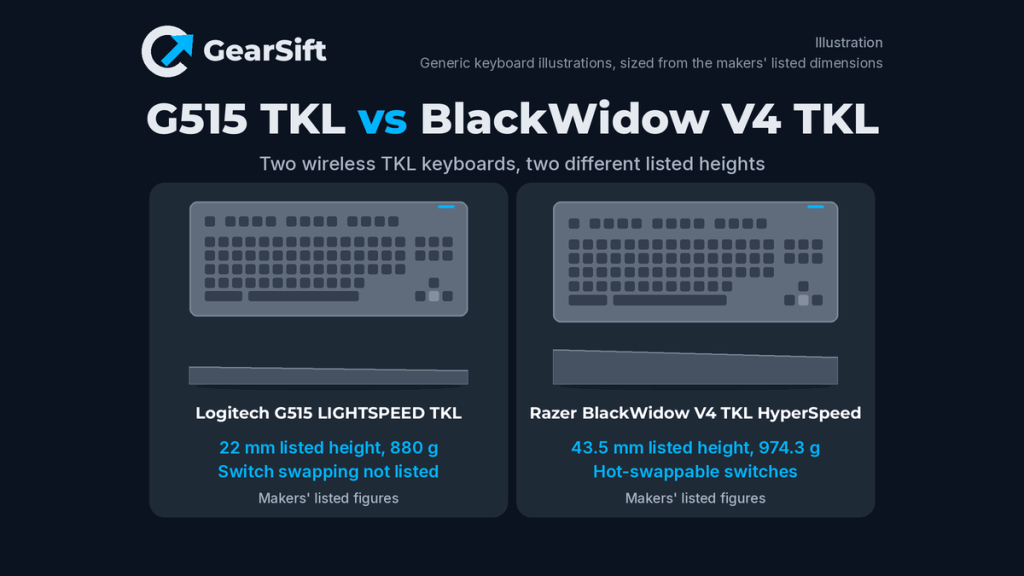
Both the Logitech G515 LIGHTSPEED TKL and the Razer BlackWidow V4 Tenkeyless HyperSpeed are wireless tenkeyless (TKL) keyboards with a USB wireless dongle, Bluetooth and a wired USB connection [1][5]. The practical differences are the listed height (Logitech 22 mm, Razer 43.5 mm), switch swapping, controls and how each maker states battery life [1][5][6].
Scope: these two models only, with US-store specs. Want to see the Logitech G PRO X TKL LIGHTSPEED beside them? See Best wireless mechanical gaming keyboards.
Which to pick
- Pick the Logitech G515 LIGHTSPEED TKL if you want a slim, lighter board. Our pick because: Logitech lists a height of 22 mm [1], against 43.5 mm that Razer lists (Razer doesn’t say what that height measures) [6], and it is 94.3 g lighter by the makers’ figures (880 g against 974.3 g; our arithmetic) [1][2][6]. Logitech also publishes the actuation point (1.3 mm), travel (3.2 mm) and actuation force for its switches [2].
- Pick the Razer BlackWidow V4 Tenkeyless HyperSpeed if you want to change switches later or want more controls. Our pick because: Razer says the switches are hot-swappable with 3- or 5-pin switches, and it adds a multi-function roller, three control buttons and onboard memory for five profiles [5][6]. Its battery claim is far larger on paper, but see the battery section before you rely on it [5].
How we chose: research-based. We used both makers’ US product pages, support specification pages, warranty information and Razer’s master guide (cited below). We have not physically tested these keyboards. All performance and battery figures are the makers’ own.
Side-by-side
| Logitech G515 LIGHTSPEED TKL | Razer BlackWidow V4 Tenkeyless HyperSpeed | |
|---|---|---|
| Connections | LIGHTSPEED wireless, Bluetooth, wired USB [1][2] | HyperSpeed 2.4 GHz wireless, Bluetooth, or USB-C [5][6] |
| Bluetooth devices | Not listed on product page/datasheet [1][2][4] | 3 devices [5][7] |
| Switches | Low-profile GL mechanical, tactile or linear [1][2] | Razer Orange Tactile Gen-3 pre-loaded [5][6] |
| Swappable switches | Not listed on product page/datasheet [1][2] | Yes; 3- or 5-pin switches [5] |
| Actuation point / travel | 1.3 mm ±0.30 mm / 3.2 mm ±0.25 mm [2] | Not listed on product page/datasheet [5][6] |
| Actuation force | Tactile 45 ±10 gf; linear 43 ±10 gf [2] | Not listed on product page/datasheet [5][6] |
| Media controls | Not listed on product page/datasheet [1][2] | Multi-function roller and three control buttons [5][6] |
| Onboard profiles | Not listed on product page/datasheet [1][2] | Stores up to 5 profiles [5][6] |
| Software | G HUB [1] | Razer Synapse 4 [6] |
| Polling / report rate | Maximum 1 ms USB report rate [2]; wireless rate: Not listed on product page/datasheet [1][2] | 1,000 Hz; 4K with the HyperPolling Wireless Dongle, sold separately [5][6] |
| Battery rating (maker “up to” figure) | “Up to 36 hours” (product page) / “Up to 36hrs” (support spec); test conditions not stated [1][2] | “Up To 980 Hours” on the product page, test conditions not stated; no figure in the support specs or guide [5][6][7] |
| Battery details | 1500 mAh; not user replaceable [2] | Not listed on product page/datasheet [5][6]; charging “3 hours*”, where “Charging times vary” [7] |
| Listed size (L × W × H) | 368 × 150 × 22 mm (product page) [1] / 354.75 × 146 × 22.14 mm (support spec) [2] | 363 × 153.6 × 43.5 mm, “Approx.” [6] |
| Weight | 880 g [1][2] | 974.3 g, “Approx.” [6] |
| Warranty | 2-year limited hardware warranty [3] | 2 years for Razer keyboards (support table); “up to 2 years” (product page) [5][6] |
| Price tier | Mid | Mid |
Price tiers are relative to the products in this article. Each tier is based on the maker’s own US store listing, checked October 27, 2026 (ET). The two listings are close enough that we put them in the same tier. We don’t list street or retail prices because they change. Check the current price before you buy.
Size note: Logitech’s product page and support page disagree, so both values are shown. Logitech’s support table puts 354.75 mm, 146 mm and 22.14 mm under its “Height”, “Width” and “Depth” headings; we read those as length, width and height [1][2].
Switches and feel
Logitech describes its tactile or linear GL switches as “Factory-lubed” [1]. Razer’s PCB is “Compatible with 3 or 5-pin switches” [5], and its page says “Warranty does not cover any internal damage caused by modification to the keyboard” [5].
Our take: if you think you’ll want a different switch feel later, Razer is the one with a path there. If you want a slim board and won’t swap switches, Logitech fits. We haven’t typed on either, so this is a preference call, not a comfort claim.
Wireless and polling
Both makers say a compatible mouse can share the keyboard’s dongle [1][5], so check the mouse’s compatibility with the maker first. Razer lists 1,000 Hz, with 4K only through a HyperPolling Wireless Dongle sold separately [5][6]. Logitech’s only figure is a maximum 1 ms USB report rate, which our arithmetic puts at 1,000 reports a second (1 ÷ 0.001) [2]. Our take: 1,000 Hz is the baseline both makers publish. Our explainer on 8K polling for mice covers why more isn’t always better.
Battery: two figures that don’t line up
Logitech’s product page says “Up to 36 hours” and its support page lists “Up to 36hrs”; neither states test conditions [1][2]. Razer’s product page says “Up To 980 Hours” and that it applies “regardless of whether it’s in Razer HyperSpeed Wireless or Bluetooth mode” [5]. Razer gives no lighting or polling-rate conditions, so its test conditions are not stated, and its support specs and master guide give no battery figure at all [5][6][7]. Both are maker “up to” ratings, not test results.
Razer’s headline is about 27 times Logitech’s (980 ÷ 36; our arithmetic). Our take: with no stated test conditions on either side, that ratio tells you little about real use.
Software and operating systems
Logitech’s page lists a computer running Windows 10 or later, or macOS 12 or later, with a USB-A port [1]. Razer’s guide lists only Windows for Synapse and says nothing about macOS [7]. Our take: if you’re on macOS, Logitech’s published requirements are the clearer fit; with Razer, confirm with the maker what works without Synapse.
The bottom line
Our take: the Logitech G515 LIGHTSPEED TKL is the better fit for a slim, lighter board with published switch specifications [1][2]. The Razer BlackWidow V4 Tenkeyless HyperSpeed is the better fit if you want swappable switches, a roller and onboard profiles, and you’re comfortable with a taller, heavier board [5][6].
Buy
- Buy the Logitech G515 LIGHTSPEED TKL at the Logitech G store
- Buy the Razer BlackWidow V4 Tenkeyless HyperSpeed at the Razer store
Comparing more keyboards? See our guide: Best wireless mechanical gaming keyboards, which also covers the Logitech G PRO X TKL LIGHTSPEED. How we pick and source products: How we research.
GearSift isn’t affiliated with or endorsed by Logitech or Razer.
Real gear for a better everyday.
Sources (all checked October 27, 2026, ET)
- Logitech G US store, G515 LIGHTSPEED TKL product page (specs): https://www.logitechg.com/en-us/shop/p/g515-tkl-wireless-keyboard
- Logitech Support, “Specification – G515 LIGHTSPEED TKL” (specs): https://support.logi.com/hc/en-us/articles/23600704280087-Specification-G515-LIGHTSPEED-TKL
- Logitech Support, “Warranty – G515 LIGHTSPEED TKL” (specs): https://support.logi.com/hc/en-us/articles/23600679734423-Warranty-G515-LIGHTSPEED-TKL
- Logitech Support, “How do I connect G515 LIGHTSPEED TKL to my computer?” (specs): https://support.logi.com/hc/en-us/articles/23939591569431-How-do-I-connect-G515-LIGHTSPEED-TKL-to-my-computer
- Razer US store, BlackWidow V4 Tenkeyless HyperSpeed product page (specs): https://www.razer.com/gaming-keyboards/razer-blackwidow-v4-tenkeyless-hyperspeed
- Razer Support, “Razer BlackWidow V4 Tenkeyless HyperSpeed | RZ03-0548 Support & FAQs” (specs): https://mysupport.razer.com/app/answers/detail/a_id/15142
- Razer, BlackWidow V4 Tenkeyless HyperSpeed Master Guide (English PDF) (specs): https://dl.razerzone.com/master-guides/RazerSynapse4/BLACKWIDOWV4TENKEYLESSHYPERSPEED-00000727-en.pdf


Leave a Reply