
Updated: October 18, 2026
Disclosure: GearSift is reader-supported. We research every pick, and no brand pays to be included. This article contains no affiliate links. How we make money
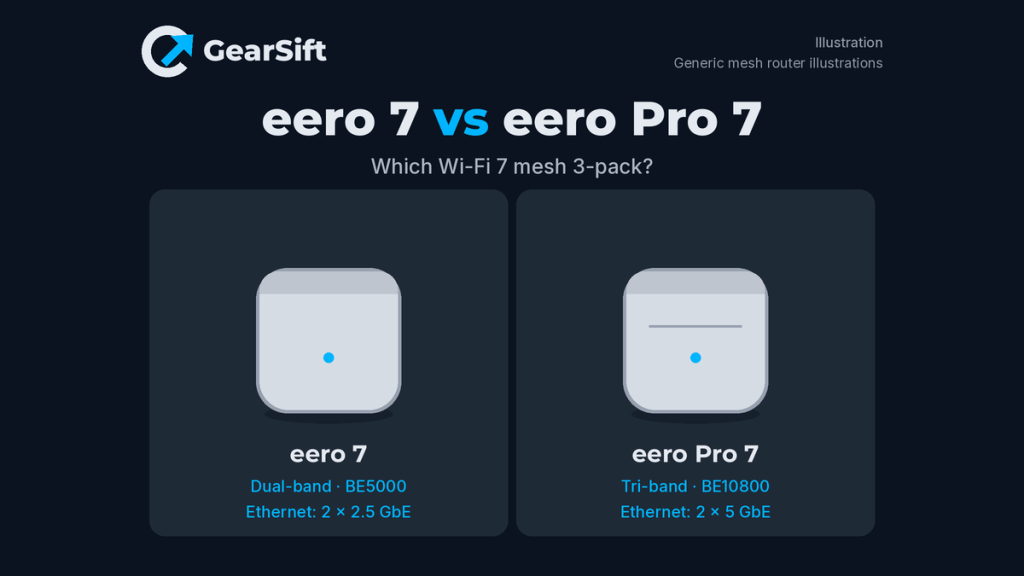
Both are eero Wi-Fi 7 mesh routers that can act as the main router or an extender, sold in 1-, 2- and 3-packs on eero’s store [1][3][4][6]. The eero 7 is the dual-band, lower-tier model; the eero Pro 7 adds a 6 GHz band, faster ports and a higher wireless rating. Here’s what differs, going only by eero’s own pages.
Scope: two eero mesh systems, compared as 3-packs (eero 7 3-pack and eero Pro 7 3-pack), linked to eero’s own US store [2][5]. Figures in the table are per unit unless noted.
Which to pick
- Pick the eero 7 if your internet plan is 2.5 Gbps or less and your home runs a normal mix of phones, laptops and TVs. Our pick because: eero rates it for plans up to 2.5 Gbps, with two 2.5 GbE ports per unit and up to 1.8 Gbps wireless [1][3]. eero itself points buyers with “fewer high-bandwidth activities” to this model [1]. It’s the lower price tier.
- Pick the eero Pro 7 if you have a plan above 2.5 Gbps, wired devices that can use 5 GbE, or a crowded network. Our pick because: it adds a 6 GHz band, two 5 GbE ports per unit, up to 3.9 Gbps wireless and support for 200+ devices [4][6], and eero says it “delivers twice the speed of eero 7” [4]. It’s the higher price tier.
How we chose: research-based. We used eero’s US shop pages, Help Center articles, compare page and disclaimers (cited below). This comparison covers two eero models only. We have not physically tested these mesh systems. All speed, coverage and device figures are eero’s own.
Side-by-side (per unit; 3-pack tier)
| eero 7 (3-pack) | eero Pro 7 (3-pack) | |
|---|---|---|
| Bands | Dual-band: 2.4 and 5 GHz [3] | Tri-band: 2.4, 5 and 6 GHz [6] |
| Wi-Fi 7 rating | BE5000 [3] | BE10800 [6] |
| Wireless speed (up to) | 1.8 Gbps [1][3] | 3.9 Gbps [4][6] |
| Wired speed (up to) | 2.3 Gbps (help article) [3]; 2.5 Gbps (compare page) [7] | 4.7 Gbps (help article) [6] |
| Internet plans (eero’s guidance) | Up to 2.5 Gbps [1][7] | Up to 5 Gbps [4] |
| Ethernet per unit | 2 × 2.5 GbE, auto-sensing [1][3] | 2 × 5 GbE, auto-sensing [4][6] |
| Max channel width | 240 MHz [3] | 320 MHz [6] |
| Claimed coverage | 2,000 sq ft per unit [1][3] | 2,000 sq ft per unit (shop page and help article text) [4][6]; up to 2,500 sq ft per device (help article spec table) [6] |
| Claimed devices | 120+ [1][3] | 200+ [4][6] |
| Smart home hub | Thread, Zigbee, Matter (as a controller only), works with Alexa [1] | Thread, Zigbee, Matter (as a controller only), works with Alexa [4] |
| Size per unit | 5.12 x 5.12 x 2.52 in. [3] | 7.1 x 5.77 x 3.09 in. [6] |
| Power adapter | 15W [3] | 27W [6] |
| Warranty | Limited 3-year [3] | Limited 3-year [6] |
| Price tier (3-pack) | Mid | Premium |
Price tiers are relative to the products in this article. Each tier is based on the maker’s own US store listing, checked October 18, 2026 (ET). We don’t list street or retail prices because they change. “Not assigned” means we couldn’t find a price on the maker’s own US site. Check the current price before you buy.
Speed and ports: the main split
The Pro 7’s headline advantage is headroom. eero’s help article lists it as tri-band and rated BE10800, with a 4.7 Gbps wired ceiling and 3.9 Gbps over the air [6]. The eero 7 is dual-band, rated BE5000, with up to 1.8 Gbps wireless [3]. For the eero 7’s wired speed, eero’s pages differ: 2.3 Gbps in the help article [3], 2.5 Gbps on the compare page [7].
Each eero 7 has two 2.5 GbE ports [1][3]; each Pro 7 has two 5 GbE ports [4][6]. eero’s disclaimers say “Maximum wireless signal rates are derived from IEEE 802.11 standard” and that real speed depends on your provider, placement and devices [8]. Our take: on a 1 or 2 Gbps plan, the eero 7’s 2.5 GbE ports already exceed your plan’s speed. The Pro 7’s extra speed pays off with a multi-gig plan or fast wired gear such as a NAS.
The 6 GHz band and Wi-Fi 7 features
Both support multi-link operation (MLO) [1][4]. Only the Pro 7 adds 6 GHz, and its help article lists channels up to 320 MHz, against 240 MHz for the eero 7 [3][6]. Our take: 6 GHz and wider channels only help devices that support them, so check your phones and laptops first.
Coverage and device count
eero’s shop pages give the same 2,000 sq ft per unit for both models [1][4]. The Pro 7 help article gives 2,000 sq ft in its description but “Up to 2,500 sq. ft. per device” in its spec table [6], so eero’s own figures differ; we show both. eero’s disclaimers say coverage estimates assume normal use and real range varies [8]. For device load, eero lists 120+ for the eero 7 and 200+ for the Pro 7 [1][4].
Mixing with older eero units
Both shop pages describe their model as “Fully compatible with all generations of eero” [1][4]. eero’s legal disclaimers add a caveat that covers all eero devices: “Combining a newer generation eero device with older generation eero devices on the same network may result in reduced performance across your network” [8]. The Pro 7 help article repeats the same warning [6]. Our take: the caveat applies to either model, so if you’re adding to an older eero network, expect the same trade-off with both. eero recommends using the same generation of devices across your network [8].
The bottom line
Our take: for most homes on plans up to 2.5 Gbps, the eero 7 3-pack is enough, at the lower tier [1][3]. The Pro 7 3-pack suits multi-gig plans, 5 GbE wired devices, 6 GHz clients or busy networks [4][6]. Both carry a limited 3-year warranty [3][6].
Buy
Want the full picture? See our guide: Best Wi-Fi 7 mesh systems for 1–2.5 Gig internet. Prefer a single router? See Best Wi-Fi 7 routers for 1–2.5 Gig internet. On Starlink? See Starlink bypass mode. How we pick and source products: How we research.
Related: Best 2.5GbE switches for a home network · Best Wi-Fi 7 PCIe adapters for desktop PCs
GearSift isn’t affiliated with or endorsed by eero.
Real gear for a better everyday.
Sources (all checked October 18, 2026, ET)
- eero US store, eero 7 shop page (product page, features, FAQ and pack prices): https://eero.com/shop/eero-7
- eero US store, eero 7 buy page, 3-pack selected: https://eero.com/shop/eero-7/buy?pack=ptptpt
- eero Help Center, “eero 7” (product article and hardware specifications) (specs): https://eero.com/support/articles/eero-7
- eero US store, eero Pro 7 shop page (product page, features, FAQ and pack prices): https://eero.com/shop/eero-pro-7
- eero US store, eero Pro 7 buy page, 3-pack selected: https://eero.com/shop/eero-pro-7/buy?pack=mmm
- eero Help Center, “eero Pro 7” (product article and hardware specifications) (specs): https://eero.com/support/articles/eero-pro-7
- eero, “Which eero is right for you?” compare page (eero 7 column) (specs): https://eero.com/compare
- eero, legal disclaimers (speed and coverage notes) (specs): https://eero.com/legal/disclaimers


Leave a Reply