
Disclosure: GearSift is reader-supported. We research every pick, and no brand pays to be included. This article contains no affiliate links. How we make money
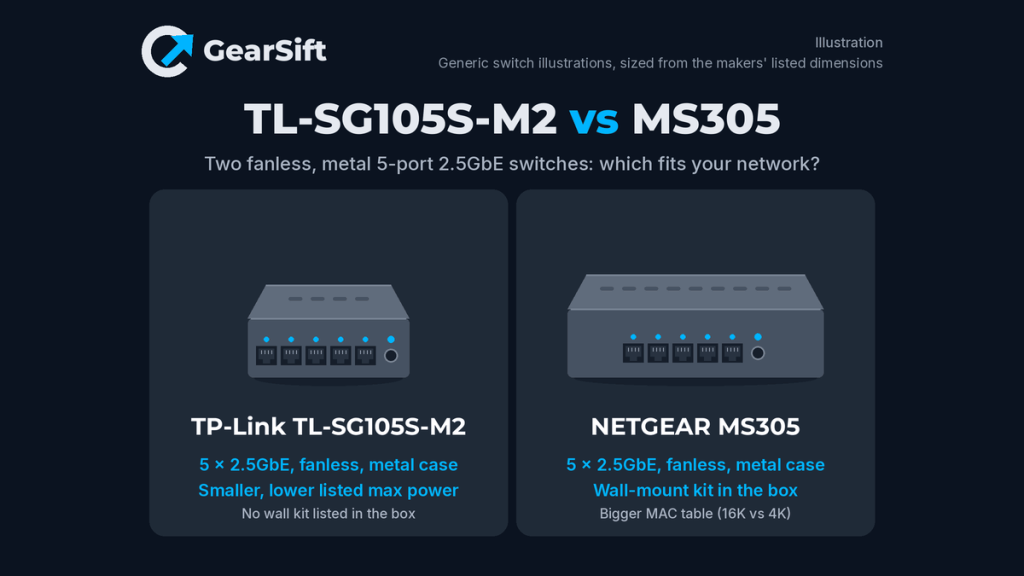
TP-Link’s TL-SG105S-M2 and NETGEAR’s MS305 are both small, unmanaged switches with five 2.5GbE ports, a metal case and no fan [1][5]. Each maker rates its switch at 25 Gbps in total [1][6], so on raw speed there’s nothing to split them. The differences are in the details: size, power draw, what comes in the box, a few traffic features, and two warranty stories that each need a closer read.
Scope: the No-PoE, five-port models only. Need eight ports, or a managed switch with a 10G uplink? See Best 2.5GbE switches.
Which to pick
- Pick the TP-Link TL-SG105S-M2 if you want the smaller, lower-power box with a few extra traffic features. Our pick because: it has the smaller footprint of the two (99.8 × 98 mm against 158 × 101 mm) and the lower listed maximum power [1][2][5]. TP-Link also lists IGMP snooping, a 12 KB jumbo frame limit and, in its V2 datasheet, loop prevention [2]; NETGEAR’s page and datasheet don’t list IGMP snooping or loop prevention [5][6].
- Pick the NETGEAR MS305 if it’s going on a wall or beneath a desk, or you want to buy it straight from the maker. Our pick because: NETGEAR includes a wall installation kit [5][6], while TP-Link’s package list names only rubber feet for mounting [1][2]. NETGEAR also sells it in its own US store, and its datasheet lists a bigger MAC address table [5][6]. Its warranty is a 3-year term by NETGEAR’s datasheet and warranty table, even though its product page says otherwise [5][6][7].
How we chose: research-based. We used TP-Link’s and NETGEAR’s US product pages, their datasheets, and both makers’ warranty pages (cited below). We have not physically tested these switches. All performance and power figures are the makers’ own.
Side-by-side
TP-Link’s support page lists two hardware versions of this switch, V1 and V2 [3]. The TP-Link datasheet we used is the V2 sheet, so figures that come only from it are labelled “V2 datasheet” [2].
| TP-Link TL-SG105S-M2 | NETGEAR MS305 | |
|---|---|---|
| Ports | 5 × 100Mbps/1Gbps/2.5Gbps [1][2] | 5 × 100M/1G/2.5G [5][6] |
| PoE | None listed [1][2] | No; “The MS305 is a non-POE switch” [6] |
| Managed | No (plug and play) [1] | No (no software or configuration) [5][6] |
| Switching capacity | 25 Gbps [1][2] | 25Gbps bandwidth (datasheet) [6] |
| Forwarding rate (maker figure) | 18.6 Mpps [1][2] | 3,720,000 pps per 2.5G port, 64-byte packets (datasheet) [6] |
| Jumbo frames | 12 KB [1][2] | 9,720 bytes [5][6] |
| MAC address table | 4K [1][2] | 16K [5][6] |
| Packet buffer | 8 Mbit (V1 datasheet) [8]; not listed on product page or V2 datasheet [1][2] | 1 MB [5][6] |
| QoS | 802.1p/DSCP [1][2] | 802.1p; honors DSCP tags (datasheet) [5][6] |
| IGMP snooping | Yes [1][2] | Not listed on product page/datasheet [5][6] |
| Loop prevention | Listed in the V2 datasheet only; not on the product page’s spec list [1][2] | Not listed on product page/datasheet [5][6] |
| Energy Efficient Ethernet (802.3az) | Not listed on product page/datasheet [1][2] | Yes; the datasheet says it’s deactivated by default [5][6] |
| Max power | 5.81 W (page, V1 datasheet) [1][8] / 5.67 W (V2 datasheet) [2] | 9.24 W; 4.60 W standby (datasheet) [5][6] |
| Power adapter | 9 VDC / 0.6 A [1][2] | 12V / 1.0A (datasheet) [6] |
| Fan | Fanless [1][2] | Fanless [5][6] |
| Case | Metal [1][2] | Metal [5][6] |
| Size (W × D × H) | 99.8 × 98 × 25 mm [1][2] | 158 × 101 × 29 mm; 0.48 kg [5][6] |
| Mounting | Desktop or wall; the package list names rubber feet, no wall kit [1][2] | Desk, wall or under a table, with the included kit [5][6] |
| LEDs | Power; link/activity [1][2] | Power; speed, link and activity per port (datasheet) [6] |
| Operating temperature | 0–40 °C (page, V1 datasheet) [1][8] / -5–40 °C (V2 datasheet) [2] | 0–40 °C [5][6] |
| Warranty | Not stated on product page or datasheets [1][2][8]; TP-Link’s US policy lists 3 years for non-Omada switches with a steel chassis and 2 years for plastic ones, and doesn’t name this model [4] | Conflicting: limited lifetime (page) [5] / 3 years (datasheet and warranty table) [6][7] |
| Price tier | Not assigned | Not assigned |
Price tiers are relative to the products in this article. Neither is assigned a tier: TP-Link’s US site doesn’t sell this switch, so there’s no maker price to compare with NETGEAR’s. We don’t list street or retail prices because they change. Check the current price before you buy.
Speed: a tie on paper
Both switches give every port 2.5GbE and step down to 1G or 100M for older devices [1][5]. Both makers quote 25 Gbps, which is enough for all five ports to run at full speed in both directions at once [1][6]. NETGEAR calls the MS305 non-blocking [5][6]; TP-Link lists a store-and-forward design [1][2]. TP-Link also notes that “Only Cat5e or better cables do not need to be replaced” [1][2], and that’s true of 2.5GbE in general: if your runs are Cat5e or better, you probably don’t need new cables. Our take: neither switch is faster in any way you’d notice. Pick on the other rows.
Features: TP-Link lists more
Neither switch has a settings page, so you get the features each maker builds in. One NETGEAR detail: its datasheet says Energy Efficient Ethernet is deactivated by default [6]. TP-Link lists IGMP snooping, which keeps multicast traffic (some IPTV and streaming setups) from flooding every port [1][2]. Its V2 datasheet adds loop prevention, which blocks the network storm you’d get if someone plugged both ends of a cable into the same switch [2]. The product page and TP-Link’s V1 datasheet don’t list loop prevention [1][8], so if it matters, check the hardware version on the box or label; a retail listing may not say which version it ships. NETGEAR answers with a 16K MAC table (TP-Link lists 4K) [1][2][5][6]. Packet buffers come out even: 1 MB for NETGEAR, and 8 Mbit (1 MB) in TP-Link’s V1 datasheet [6][8]. Our take: for a home network, IGMP snooping and loop prevention are the more useful extras, and the bigger MAC table only matters on large networks.
Size, power and mounting
The TP-Link is about two-thirds the width of the NETGEAR and lists a lower maximum draw: 5.81 W on its page or 5.67 W in its V2 datasheet, against 9.24 W for the MS305 [1][2][5][6]. Both are small numbers for a box that runs all day, but the gap is real. On mounting, both makers describe desktop and wall use [1][2][5][6]. NETGEAR puts a wall installation kit in the box [6], and its page adds under-table mounting with that kit [5]. TP-Link’s package list stops at the switch, power adapter, installation guide and rubber feet [1][2]. Our take: if the switch is going on a shelf, the TP-Link takes less room. If it’s headed for a wall or the underside of a desk, the NETGEAR saves you a trip for hardware.
Warranty: read both carefully
NETGEAR’s sources disagree. The MS305 product page says it “is backed by NETGEAR limited lifetime hardware warranty” [5]. The datasheet lists a “3 year warranty”, and NETGEAR’s warranty and support table lists 3 years for the MS305 [6][7]. The datasheet adds conditions: coverage needs a purchase from an authorized NETGEAR reseller plus registration within 90 days, and the external power adapter isn’t covered [6]. Free phone and online support lasts 90 days with registration [6][7].
TP-Link’s product page and datasheet give no warranty term [1][2]. Its US warranty policy lists 3 years for non-Omada switches with a steel chassis and 2 years for plastic ones [4]. TP-Link describes this switch’s case as metal, not steel, so the policy doesn’t name it outright [1][4]. That policy also says products from unauthorized resellers don’t qualify [4]. Our take: NETGEAR’s datasheet and warranty table say 3 years. TP-Link’s policy points to 3 years for a metal-cased switch but doesn’t name this model, so confirm the term with TP-Link if it matters to you. Either way, buy from an authorized seller, and register the NETGEAR within 90 days.
Where a 2.5GbE switch fits
Most homes reach 2.5GbE one device at a time: a router with one 2.5G port, a NAS, a newer PC or a Wi-Fi 7 access point. A five-port switch plugged into the router’s 2.5G port lets four of those talk to each other, and to the router, at full speed. Devices with only gigabit ports still work at their own speed [1][5]. The switch can’t make your internet faster than your plan or your router’s port, so the gain shows up mostly in copies between devices at home, such as PC-to-NAS backups. Both switches are unmanaged, so they don’t do VLANs. Our take: count your 2.5GbE devices first. If you have more than four, or want VLANs, a five-port switch is the wrong size. Our Best 2.5GbE switches guide covers 8-port and managed options.
The bottom line
Our take: the TP-Link TL-SG105S-M2 is the smaller, lower-power switch with the longer feature list [1][2]. The NETGEAR MS305 makes more sense if you want a wall kit in the box, or to buy direct from the maker [5][6]. On speed, they’re the same [1][6].
Buy
Comparing more switches? See our guide: Best 2.5GbE switches, which also covers 8-port and managed models. How we pick and source products: How we research.
GearSift isn’t affiliated with or endorsed by TP-Link or NETGEAR.
Real gear for a better everyday.
Sources (all checked October 26, 2026, ET)
- TP-Link US, TL-SG105S-M2 product page and specifications (specs): https://www.tp-link.com/us/business-networking/soho-switch-unmanaged/tl-sg105s-m2/
- TP-Link, TL-SG105S-M2(UN) V2 datasheet (PDF, linked from the download page) (specs): https://static.tp-link.com/upload/product-overview/2026/202609/20260924/TL-SG105S-M2%28UN%292.0%20Datasheet.pdf
- TP-Link US, TL-SG105S-M2 download page (hardware versions): https://www.tp-link.com/us/support/download/tl-sg105s-m2/
- TP-Link US, Replacement Warranty (warranty periods for products bought on or after 9/1/2023) (specs): https://www.tp-link.com/us/support/replacement-warranty/
- NETGEAR US store, MS305 (specs): https://www.netgear.com/business/wired/switches/unmanaged/ms305/
- NETGEAR, MS305 data sheet (PDF, linked from the product page) (specs): https://www.downloads.netgear.com/files/GDC/MS305/MS305_DS.pdf
- NETGEAR, Warranty and Support Information table (PDF, updated 6/30/2025) (specs): https://www.downloads.netgear.com/files/GDC/ProSUPPORT/NETGEAR_DS_ProSUPPORT_US_Intl.pdf
- TP-Link, TL-SG105S-M2(UN) V1 datasheet (PDF, linked from the V1 download page) (specs): https://static.tp-link.com/upload/product-overview/2024/202401/20240108/TL-SG105S-M2(UN)1.0_datasheet.pdf


Leave a Reply