
Updated: October 9, 2026
Disclosure: GearSift is reader-supported. Some links on GearSift may be affiliate links that earn us a commission at no extra cost to you. This article currently contains none. Learn more.
Thunderbolt 5 docks cost more than Thunderbolt 4 ones, and the ports look identical: both are USB-C. Before you upgrade, check two things: what TB5 actually adds, and whether your Mac (or PC) has it.
How we wrote this: research-based, from Intel’s and Apple’s official specifications and manufacturer product pages (cited below, checked October 9, 2026). We have not physically tested these products.
The short answer
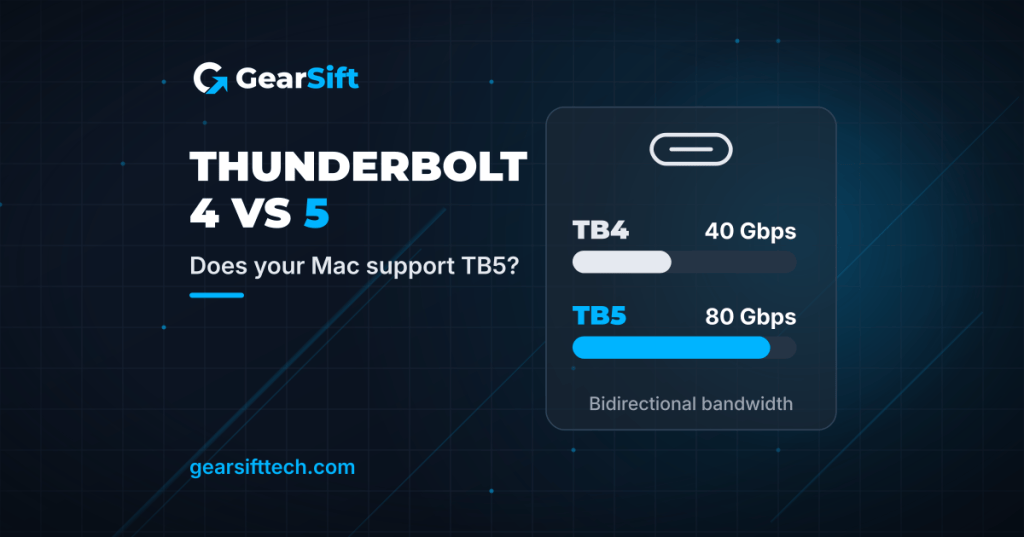
- Thunderbolt 5 doubles bidirectional bandwidth to 80 Gbps (vs 40 Gbps). For display-heavy work, “Bandwidth Boost” goes up to 120 Gbps in one direction (with 40 Gbps the other way) [1].
- It mostly matters for high-refresh or multiple big displays, fast external SSDs, and charging power-hungry laptops [1].
- Your Mac has TB5 only if it’s a Mac mini with a Pro chip (2024 or later), a 14-inch MacBook Pro with a Pro or Max chip (2024 or later), any 16-inch MacBook Pro from 2024 on, or a Mac Studio from 2025 on [2].
- A TB5 dock still works on a TB4 Mac, but at Thunderbolt 4 speeds [5][7].
Thunderbolt 4 vs Thunderbolt 5 at a glance
| Thunderbolt 4 | Thunderbolt 5 | |
|---|---|---|
| Bandwidth | 40 Gbps minimum [1] | 80 Gbps bidirectional; up to 120 Gbps with Bandwidth Boost (40 Gbps the other way) [1] |
| PCIe data (storage, eGPU) | 32 Gbps minimum [1] | 64 Gbps minimum [1] |
| Laptop charging | Up to 100 W [1] | Up to 240 W (140 W required; 140–240 W on some devices) [1] |
| Displays (Intel) | Dual 4K [1] | Dual 8K [1] |
| Standards | USB4-compliant [1] | USB4 v2, DisplayPort 2.1, PCIe Gen 4 [1] |
| Connector | USB-C | USB-C |
Figures are Intel’s certification minimums and maximums [1]. What you get also depends on your computer, cable and dock.
Which Macs have Thunderbolt 5?
Per Apple Support (published September 21, 2026) [2]:
| Thunderbolt 5 | Thunderbolt 4 |
|---|---|
| Mac mini with Pro chip, 2024 or later | Mac mini, 2023 or later (except Pro-chip models from 2024 on) |
| 14-inch MacBook Pro with Pro or Max chip, 2024 or later | 14-inch MacBook Pro with M4 or M5 chip; earlier Pro/Max models from 2021 |
| 16-inch MacBook Pro, 2024 or later | 16-inch MacBook Pro, 2021–2023 |
| Mac Studio, 2025 or later | MacBook Air, 2025 or later; iMac (2024); Mac Studio 2022–2023; Mac Pro (2023) |
Current models (apple.com, October 9, 2026):
- Mac mini: the M6 model has three Thunderbolt 4 ports. The M5 Pro model has three Thunderbolt 5 ports [3].
- MacBook Pro: the M5 model has Thunderbolt 4. M5 Pro and M5 Max models have Thunderbolt 5 [4].
- MacBook Air (M5): two Thunderbolt 4 ports [6].
Check your own Mac: Apple menu > About This Mac, then look up your model’s Tech Specs [2].
Windows PCs: look for the Thunderbolt icon next to the USB-C port or check the maker’s spec sheet. Intel says TB5 is supported on Windows 11 (version 23H2 and later) and Linux (kernel 6.7 and later) [1].
Do you actually need TB5?
TB5 is worth it if you:
- Run several external displays or high-refresh monitors. Apple lists up to three external displays for M5 Pro models and up to four for the M5 Max MacBook Pro, versus two for the M5 MacBook Pro [3][4].
- Edit video from a fast NVMe SSD in a dock or enclosure (TB5 doubles PCIe bandwidth) [1].
- Have a laptop that charges at up to 140 W [1].
TB4 is probably enough if you:
- Have a TB4 Mac (TB5 speeds need TB5 on both ends) [5][7].
- Use one or two standard displays, a keyboard, mouse, Ethernet and a backup drive.
Thunderbolt 5 docks worth knowing about
Listed in order of port count, not by preference. Specs are from each maker’s page.
| CalDigit TS5 Plus | Anker Prime TB5 Docking Station (14-in-1) | Satechi Thunderbolt 5 CubeDock | |
|---|---|---|---|
| Thunderbolt ports | 1 host (up to 120 Gb/s) + 2 downstream (80 Gb/s) [5] | 1 upstream + 2 downstream [8] | 1 upstream (80/120 Gbps) + 3 downstream (80 Gbps) [7] |
| Host charging | Up to 140 W [5] | 140 W max [8] | Up to 140 W [7] |
| USB | 5 × USB-C + 5 × USB-A, all 10 Gb/s [5] | 2 × USB-C (10 Gbps, 45 W shared) + 3 × USB-A (10 Gbps) [8] | 2 × USB-C + 2 × USB-A, up to 10 Gbps [7] |
| Video out on dock | 1 × DisplayPort 2.1 [5] | 1 × HDMI 2.1 or 1 × DP 2.1 (one at a time) [8] | No HDMI/DP port listed; displays connect via the Thunderbolt ports [7] |
| Ethernet | 10 GbE [5] | 2.5 Gbps [8] | 2.5 GbE [7] |
| Card readers | SD 4.0 + microSD 4.0 (UHS-II) [5] | SD + TF (UHS-I) [8] | SD + microSD (UHS-II) [7] |
| Extras | 330 W power supply; 2-year warranty [5] | Active cooling, ambient lighting [8] | Built-in M.2 NVMe SSD enclosure (up to 8 TB) [7] |
| Price tier | Premium [5] | Mid [8] | Mid [7] |
Price tiers are relative to the products in this article. Each tier is based on the maker’s own US store listing, checked October 9, 2026 (ET). We don’t list street or retail prices because they change. “Not assigned” means we couldn’t find a price on the maker’s own US site. Check the current price before you buy.
CalDigit TS5 Plus: the most ports. 20 ports, including 10 GbE and three 36 W charging ports (two downstream TB5 + one front USB-C) [5]. CalDigit’s manual lists compatibility with Thunderbolt 5, Thunderbolt 4 and USB4 hosts, and Thunderbolt 3 Macs (not Thunderbolt 3 PCs) [5].
See the CalDigit TS5 Plus on CalDigit
Anker Prime TB5 Docking Station: a mid-size option. 14 ports, with HDMI 2.1 or DisplayPort 2.1 output (one at a time). Anker lists Windows 10 and 11. For macOS, its product page gives two different minimums, macOS 14.5 in one place and macOS 15 in another, so check your macOS version before buying [8].
See the Anker Prime TB5 Docking Station on Anker
Satechi TB5 CubeDock: dock + SSD enclosure. A 5 × 5-inch cube (Satechi’s listed size) with an M.2 NVMe slot (2230–2280, up to 8 TB, up to 6,000 MB/s claimed). Satechi says full performance needs a certified Thunderbolt 5 cable. The SSD is not included [7].
See the Satechi Thunderbolt 5 CubeDock on Satechi
FAQ
Will a Thunderbolt 5 dock work with my Thunderbolt 4 Mac?
The makers say yes. CalDigit lists TB4 and USB4 hosts as compatible [5], and Satechi says it is backward compatible with Thunderbolt 4, USB4 and Thunderbolt 3, with speeds that may vary [7]. You get your Mac’s Thunderbolt 4 speed, not TB5.
Do I need a special cable?
Satechi says a certified Thunderbolt 5 cable is needed for full performance [7]. Intel says TB5 “universal cables” support up to 120 Gbps at up to 2 meters [1]. CalDigit includes a 1 m Thunderbolt 5 cable with the TS5 Plus [5].
Is USB4 the same as Thunderbolt?
No. Intel’s table lists USB4’s minimum PC speed as 20 Gbps, versus 40 Gbps for TB4 and 80 Gbps for TB5 [1].
Related (planned): Best monitor arms for ultrawide monitors · NAS vs DAS vs external hard drive.
Real gear for a better everyday.
Sources (all checked October 9, 2026, ET)
- Intel, “Thunderbolt Technology: The Fastest, Simplest, and Most Reliable USB-C Connection” (TB5/TB4 overview, comparison table and FAQ): https://www.intel.com/content/www/us/en/architecture-and-technology/thunderbolt/overview.html
- Apple Support, “Identify the ports on your Mac” (published September 21, 2026): https://support.apple.com/en-us/109523
- Apple, Mac mini Technical Specifications: https://www.apple.com/mac-mini/specs/
- Apple, MacBook Pro Technical Specifications: https://www.apple.com/macbook-pro/specs/
- CalDigit, TS5 Plus product page, datasheet and manual: https://www.caldigit.com/thunderbolt-5-dock-ts5-plus/ · https://downloads.caldigit.com/TS5Plus/CalDigit_TS5Plus_Datasheet.pdf · https://downloads.caldigit.com/TS5Plus/CalDigit_TS5_Plus_Manual_EN.pdf · CalDigit US Shop (used for price tier): https://us.caldigit.com/products/ts5-plus
- Apple, MacBook Air Technical Specifications: https://www.apple.com/macbook-air/specs/
- Satechi, Thunderbolt 5 CubeDock with SSD Enclosure (tech specs, compatibility; used for price tier): https://www.satechi.net/products/thunderbolt-5-cubedock-with-ssd-enclosure
- Anker, Anker Prime TB5 Docking Station (14-in-1, 8K, Thunderbolt 5), model A83B5 (used for price tier): https://www.anker.com/products/a83b5-anker-prime-thunderbolt5-docking-station-14-in-1-140w-8k


Leave a Reply